Business technology. Personal service.
Let’s talk 0333 444 0556 →
My Business
Communications
Let’s talk business →
← MyBizConnectMyBizMeet / Video conferencing & meeting rooms

Bring everyone
into the room.

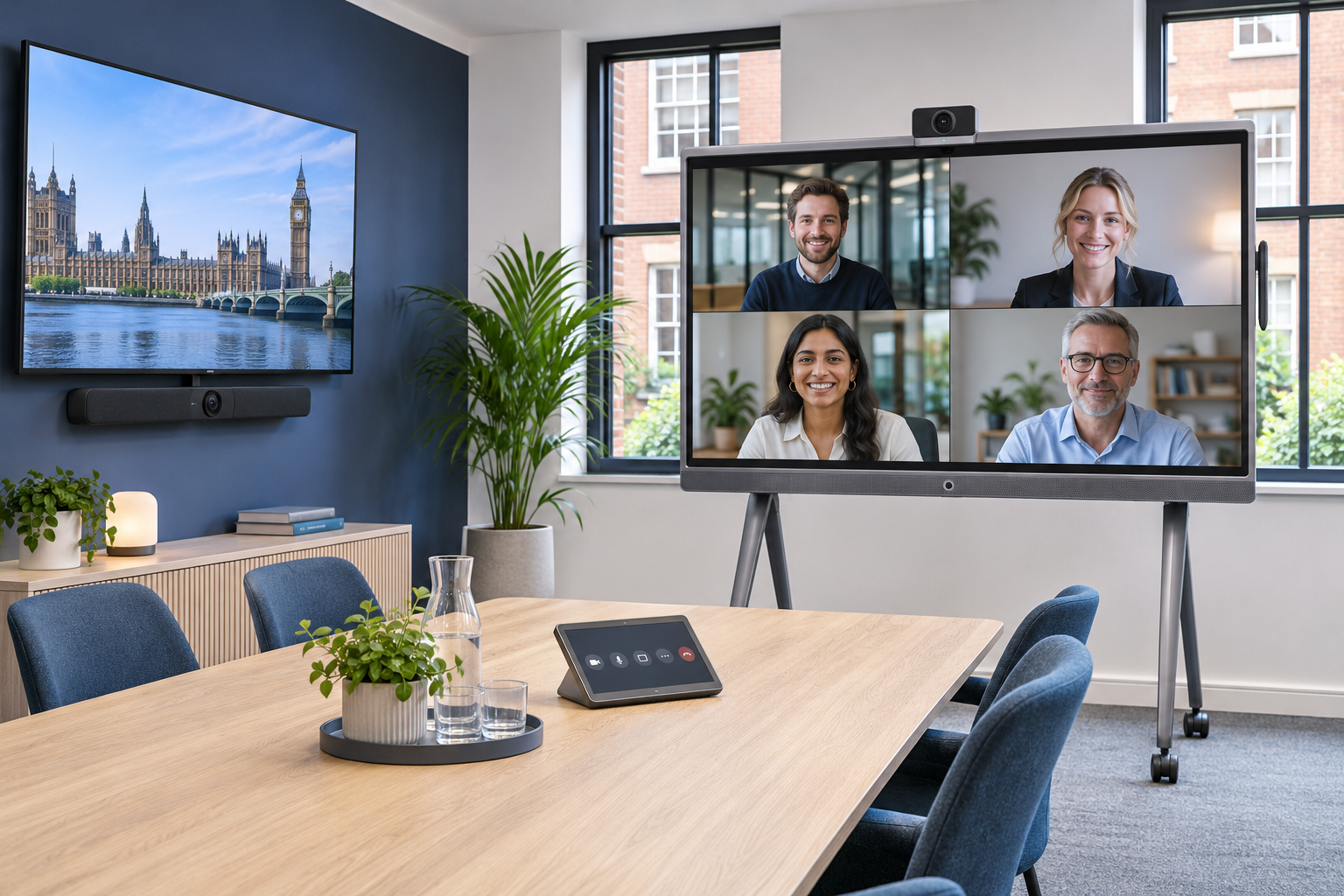
Make hybrid meetings feel more natural. MyBizMeet brings Yealink video conferencing, room audio and interactive displays together, with MBC planning, installation and support around the way your team meets.

MeetingBoard-style interactive display and MeetingBar-style video bar in a modern meeting room
Meet. Share. Collaborate.
THE PRODUCT SET

MeetingBar. MeetingBoard. A room that works together.

Start with the room, the people and the meeting platform. We help choose a Yealink system that fits your space, from a compact video bar for everyday calls to an interactive MeetingBoard for presentations, workshops and shared ideas.

01

Yealink MeetingBar

All-in-one video bars combine camera, microphones and speakers in a compact unit for a meeting-room display. The MeetingBar range includes options such as the A40 for small to medium rooms, with framing and audio features depending on the chosen model.

02

Yealink MeetingBoard

An interactive meeting display combines video collaboration, content sharing and digital whiteboarding. MeetingBoard and MeetingBoard Pro options bring presentations and shared working into one focal point, with the screen size and installation matched to your room.

03

Teams Rooms, Zoom Rooms & laptop meetings

Choose a supported Microsoft Teams Rooms or Zoom Rooms configuration, or discuss a compatible bring-your-own-device setup. Platform support, laptop connectivity and room-account requirements are confirmed for the selected equipment.

04

Controls, audio & installation

Touch controllers, supported expansion microphones, mounting and cabling complete the room. We consider participant positions, acoustics, camera coverage, power and network access before specifying accessories.

A PRACTICAL COMPARISON

Choose around how your team meets.

Your roomAn option to exploreWhat we consider
Huddle space or everyday meeting roomMeetingBar with a suitable displaySeating, camera view and microphone coverage
Workshops and shared ideasMeetingBoard / MeetingBoard ProTouch interaction, display size and mounting
Flexible laptop-led meetingsSupported BYOD configurationLaptop ports, accessories and meeting platforms

Your quotation confirms the products, licences and service responsibilities included.

DESIGNED AROUND YOUR BUSINESS

A better meeting starts before you press Join.

A great camera cannot fix poor placement or a difficult room. MBC looks at seating, lighting, sound, display visibility and connectivity, then plans mounting, cabling and the meeting workflow. We configure the agreed platform, test calls and content sharing, and show your team how to use the room. Ongoing support can be included in your MBC agreement.

  • Room survey and equipment selection
  • Agreed mounting, cabling and network requirements
  • Platform setup, test meetings and content-sharing checks
  • Practical handover and an agreed support route
A FEW USEFUL ANSWERS

Before we get started.

Have a specific requirement?
Let’s talk it through →

Should we choose MeetingBar or MeetingBoard?

A MeetingBar suits a room with a suitable display where video calls are the main task. A MeetingBoard adds an interactive screen for shared content and whiteboarding. Room size, viewing distance and the way you collaborate guide the choice.

Will it work with Microsoft Teams or Zoom?

Yealink offers equipment and configurations for Teams Rooms and Zoom Rooms. We confirm the supported platform, firmware, accounts and licences for your chosen model before ordering. Features differ between platforms and configurations.

Can we connect a laptop for other meeting platforms?

Compatible systems can offer a bring-your-own-device mode. The required USB connection, sharing accessory and supported functions depend on the selected model and configuration; we demonstrate the agreed workflow during handover.

Are room licences included with Microsoft 365?

Do not assume an existing user subscription covers a dedicated meeting room. We check room-account and platform licensing separately and show any required subscriptions in your quotation.

Can you reuse our screen or install the whole room?

Yes, subject to a survey and compatibility checks. We can assess an existing display or quote a complete installation, including agreed mounts, controls, cabling, network work and training.

YOUR NEXT STEP

Let’s make it work
for your business.

Tell us about your people, premises and priorities. We’ll help you find the right fit.

Start a conversation →